

 In the previous post, we discussed some Linux commands and we saw how to show files, traverse directories, make them, and much more. Now, that was just the first level of the basic Linux commands. Let’s take one more step and see more of the basic Linux commands that you will use. We talked about the ls command in the previous post and we’ve discussed only 2 parameters. Let’s dig deeper and see more parameters that can make you more powerful.
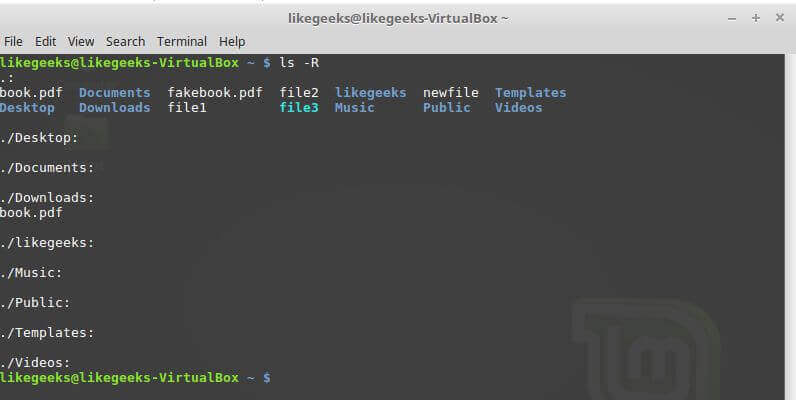
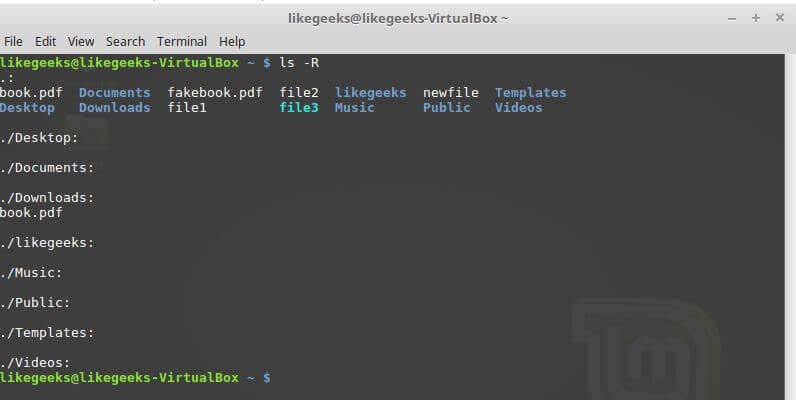
 ls -R to recursively list all files in a directory. The -R parameter will traverse deeply till it finishes all directories.
ls –r Reverses the sorting order for the displayed files and directories.
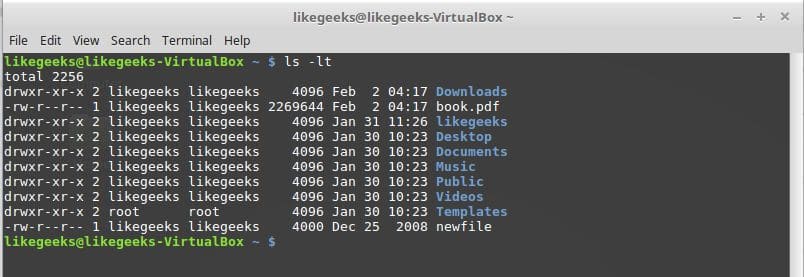
ls –S Sorts the output by file size.
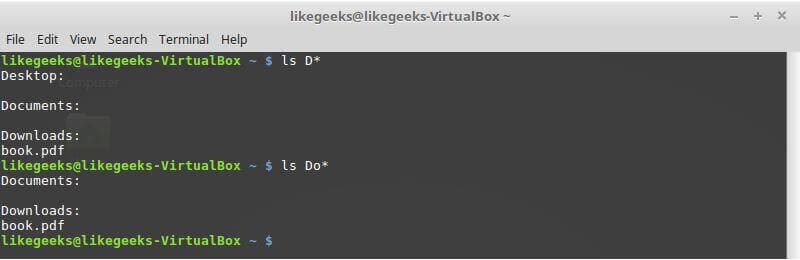
Filter ls Command Output
ls –l myfile?
A question mark is used to represent one character.
ls –l myprob*
An asterisk is used to represent zero or more characters.
The question mark and asterisk are called wild characters.
Create Files
touch test1
The touch command is used to create an empty file.
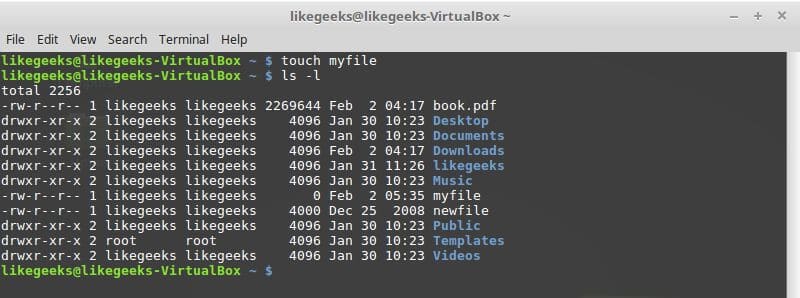
If you use it against an existing file, it will change the access time, if the file doesn’t exist, it will create it.
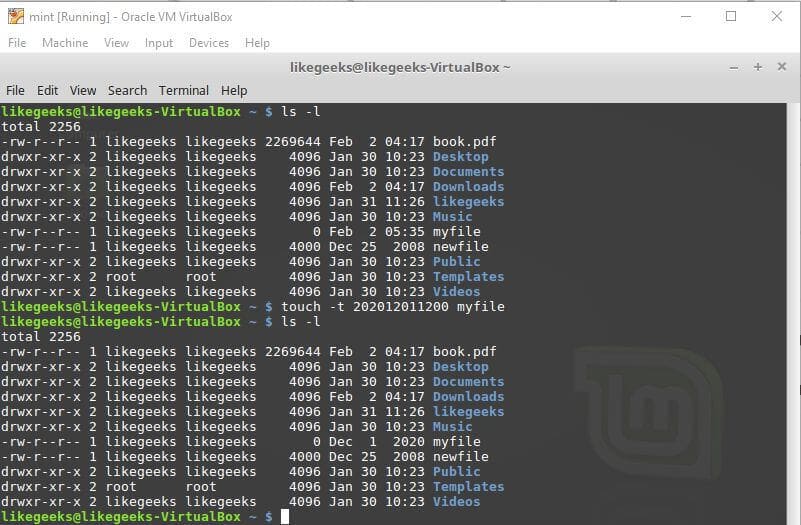
You can use the same command to change the modification time for an existing file, just type it with -t followed by the time with the following format YYYYMMDDHHMM
touch –t 202012011200 test1
Create Shortcuts (Links)
We know from the previous post that cp command is used to copy files.
In Linux, You can create:
- Hard link.
- Symbolic, or soft link.
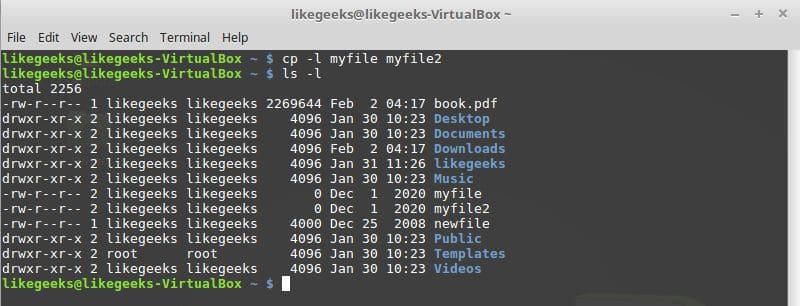
cp –l file1 file2
Hard Links
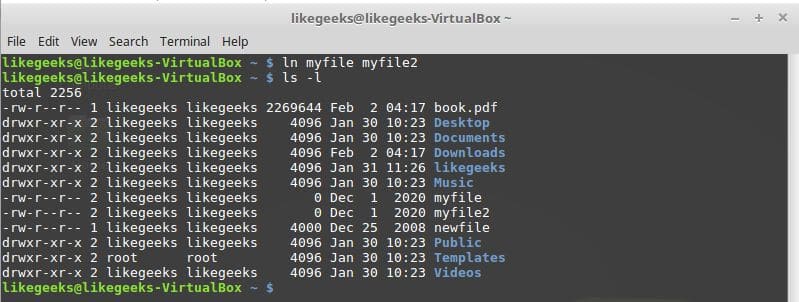
The hard link makes a separate file which contains information about the original file and where it is located.
Keep in mind that hard link only created between files on the same physical drive.
If you need to create links on a different physical drive, you’ll have to create a soft link instead.
Symbolic Links
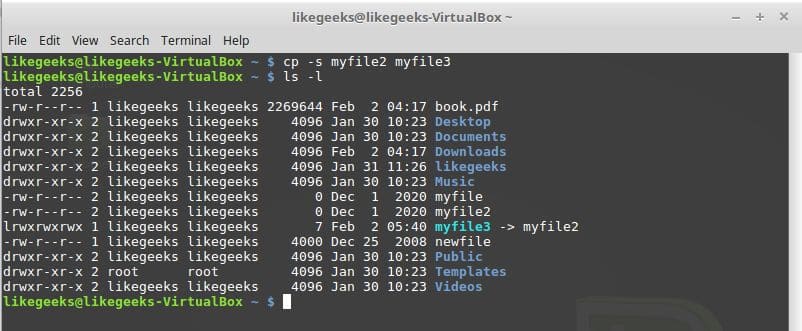
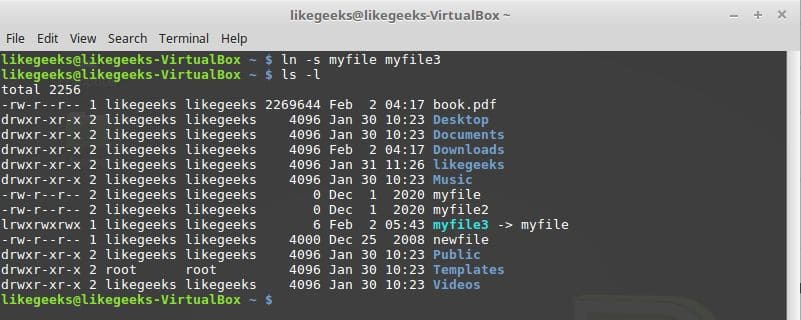
To create a symbolic or soft link, use the -s parameter:
cp –s file1 file2
Here we should mention also another command that makes links other than cp which is ln command, you can create hard and soft links with it like this:
ln myfile myfile2
This command creates a hard link.
ln –s myfile myfile2
This command creates a soft link.
Viewing the File Type
file myfile
Determines the kind of the file.

Viewing End of File
The tail command is used to view the last 10 lines of a file. This command is useful when working with big files.
-n parameter to specify the number of lines.
-f parameter to stay on the file and continue to watch the last lines you specified like monitoring, and this is very important when looking at log files.
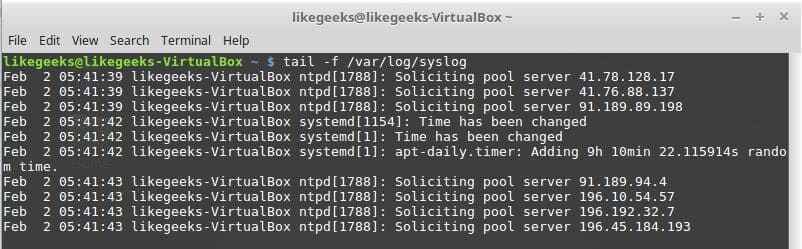
View Top of File
The head command is used to view the first 10 lines of a file.
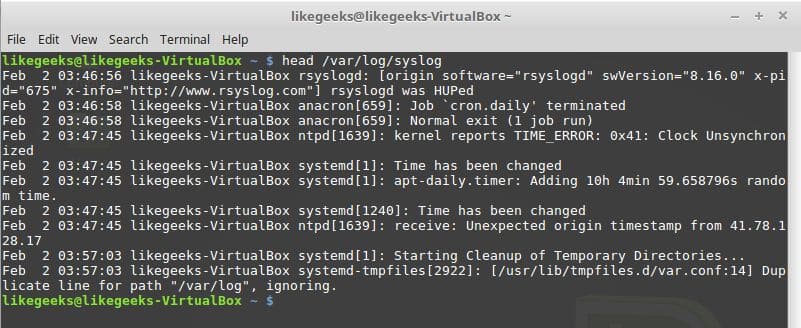
List Running Processes
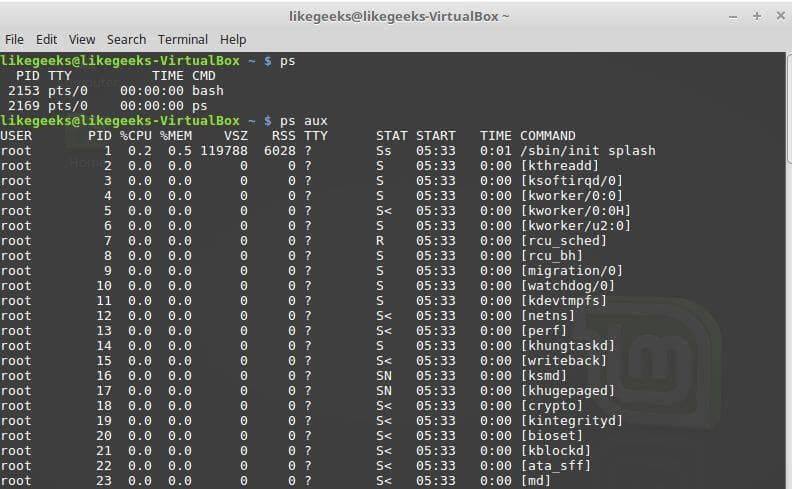
The ps command lists the currently running process.
$ ps aux
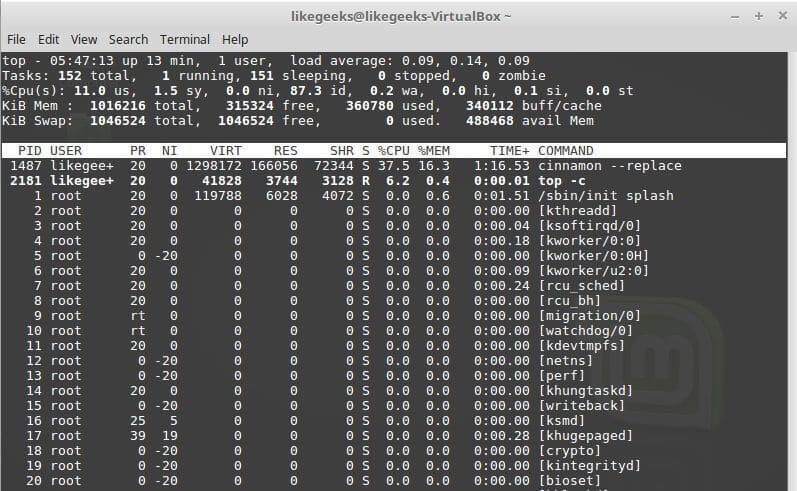
The top command does the same thing.
-You can use the top command with -c option to view the executable path for the running process.
Kill a process
To kill a process:
pkill processName

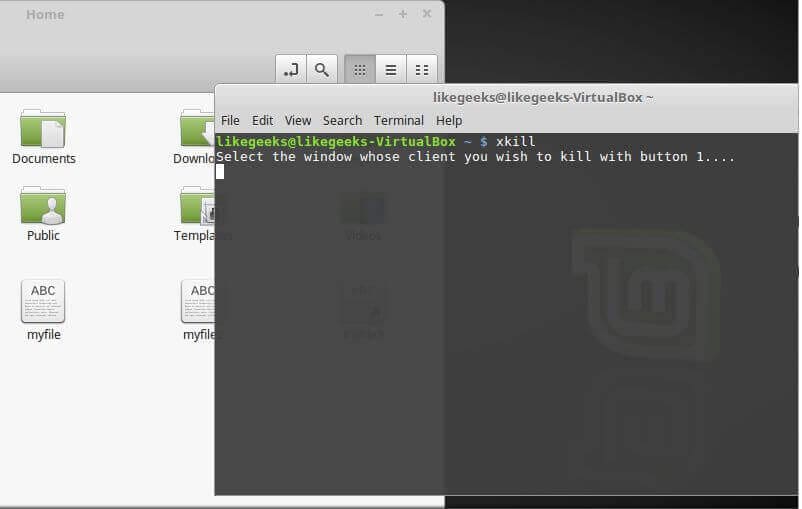
type xkill and press Enter to kill any nonresponsive window.
Disk Free Space
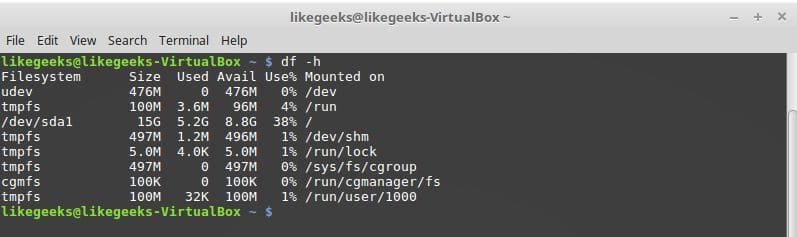
df command shows the disk free space.
df –h
-h for human readable value
That was some of the basic Linux Commands. I hope you enjoy it. Keep coming back.


 Hızlı bir şekilde ağ hizmetleri kurmak için araçlar sağlayan USA kökenli ve Arch
  Manjaro’nun yeni 17.0.6 sürümü, Bernhard Landauer tarafından duyuruldu. E
 Sistem tamiri için tasarlanan Gentoo
  Ubuntu tabanlı, kullanıcı dostu masaüstü ve